Chapter 2 — Machine Identification
Chapter 2 of 10 · ~10 minutes · No tools needed
Before doing anything to your machine, confirm what you have. The E24 has specific differences from earlier Gaggia Classic Pro models, and this guide assumes you have an E24.
STEP 1 — Find the model label
Tip the machine gently onto its back and look at the bottom. The rating label is on the underside of the machine, not the back panel.
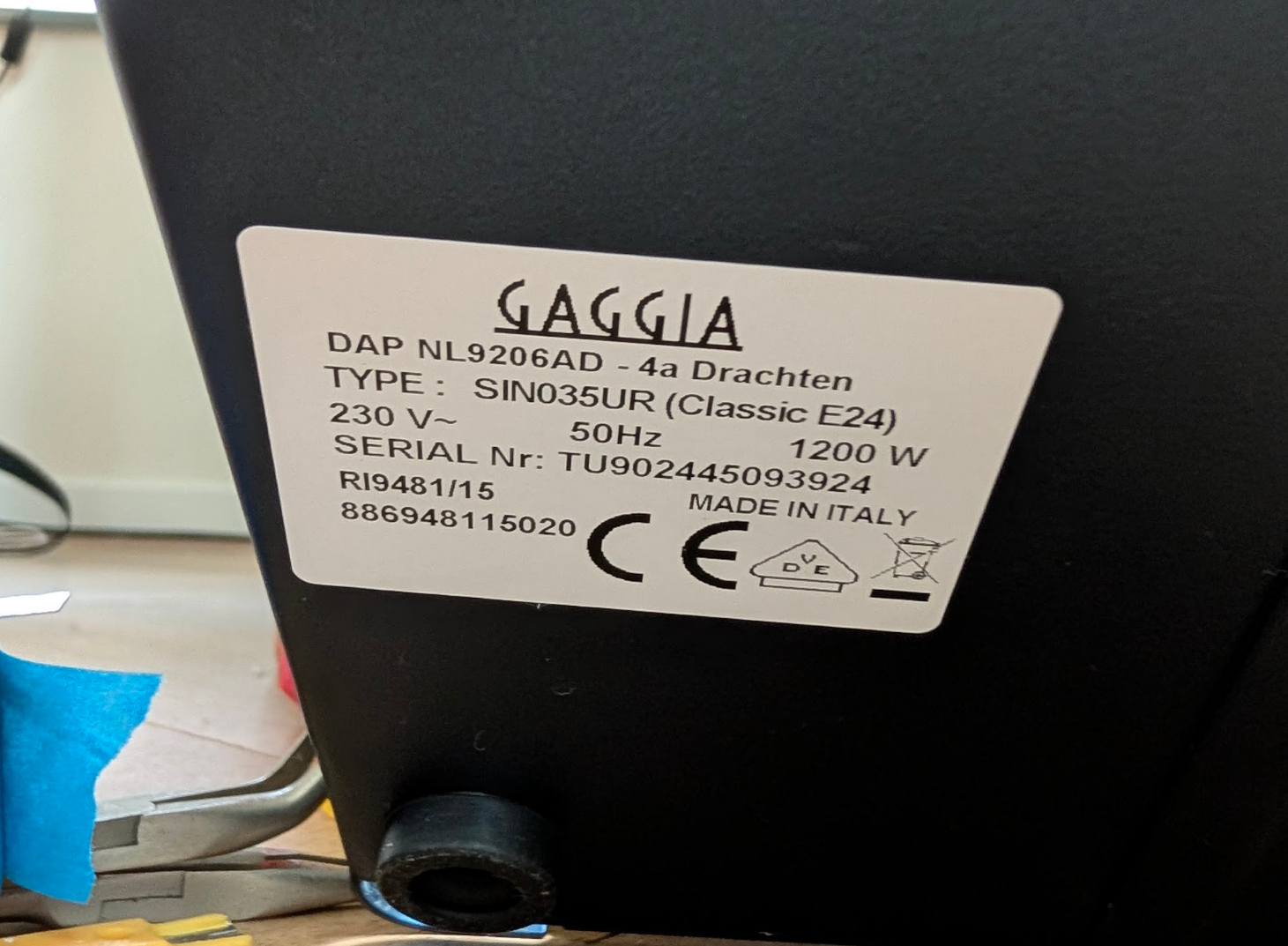
This is what you are looking for. Your label will have the same layout. Look for:
- TYPE:
SIN035UR (Classic E24)— confirms you have the E24. If you see a different type code, check the Gaggiuino compatibility list before continuing. - Model number:
RI9481— also printed on the label, same machine. - Voltage:
230V(EU) or120V(US). Note this — it affects the power switch mod in Chapter 4. - Wattage:
1200W— confirms the original heater rating.
The label is on the bottom, not the back
Many guides say "the back label." On the E24, it is the bottom — you need to tilt the machine to read it.
STEP 2 — Confirm you have an Eco PCB machine
All E24 models ship with the Eco PCB. This is confirmed by the model number, but you will visually identify it when you open the machine in Chapter 3.
If you have the E24 (RI9481), you have the Eco PCB. Proceed.
STEP 3 — Check the OPV setting (EU machines)
The OPV (Over-Pressure Valve) limits maximum pump pressure. Gaggiuino needs the OPV set to at least 10 bar to function correctly.
US E24 machines only — OPV is set to 9 bar
Gaggia ships US-market E24 machines with a 9-bar OPV setting. This is too low for Gaggiuino pressure profiling.
EU machines: The OPV is typically set at 10–12 bar from the factory. Verify after the build, but no preemptive adjustment is required.
US machines: You will need to adjust the OPV during the calibration chapter. Options: replace the OPV spring with a 12-bar spring (best), or add M3 washers to increase spring preload. Covered in Chapter 9.
I haven't adjusted a US-market OPV myself because I'm in Europe, but the washer method is well-documented and works.
STEP 4 — Make a note of your machine details
Write down or photograph your bottom label. You will need the voltage (EU/US) and model number when configuring Gaggiuino settings in Chapter 9.
The lesson: a five-minute check now saves an hour of debugging later.